If you're learning to code today, an AI assistant is never more than a click away. Paste in a broken program, and a second later you have a working one. It's hard to imagine a better learning tool.
And that's exactly the trap. Getting working code is not the same as learning to write it, and AI makes it very easy to confuse the two. This guide is about using AI so that it makes you better, not just faster: what the research found, six rules that work, prompts you can copy, and the warning signs that you're letting it do your thinking.
AI is part of programming now
This isn't an anti-AI article. In the 2025 Stack Overflow Developer Survey, 84% of respondents said they use AI tools in their development work or plan to, up from 76% the year before. Professional programmers use AI every day, and you will too.
But look at what those same developers say about it. More of them actively distrust the accuracy of AI tools (46%) than trust it (33%). Their most common frustration, named by 66%, is "AI solutions that are almost right, but not quite". The second, at 45%, is that debugging AI-generated code takes more time.
"Almost right, but not quite" is the key phrase. The people who get the most out of AI are the ones who can spot the "not quite". That ability is exactly what you're building while you learn, and it's exactly what you skip if the AI writes everything.
What the research found
In a field experiment published in PNAS in 2025, researchers gave nearly a thousand high-school students AI help with their maths practice (Bastani and others, "Generative AI without guardrails can harm learning"). There were two versions of the AI:
- A standard chat assistant (GPT-4), which would simply give answers. During practice, students using it did 48% better than students without AI. But on the exam afterwards, taken without any AI, they scored 17% worse than the students who had never had it.
- A tutor version with safeguards: it gave hints instead of answers, and steered students to work the problem out themselves. During practice, students did 127% better. On the exam, they scored about the same as the students without AI: no harm, but no measurable gain either.
The researchers' explanation is simple: with the unrestricted assistant, students used it as a crutch during practice, and then couldn't do the work on their own. The study measured short-term results in maths, not programming, so don't treat the numbers as a law of nature. But the pattern will be familiar to anyone who has learned to code with AI: practice feels great, and then a blank file feels impossible.
The lesson isn't "don't use AI". It's that how you use it decides whether it helps you learn.
Why getting the answer doesn't teach you
Programming is a skill, like riding a bike or speaking a language. You get better at it by doing the hard part yourself: deciding what to write, writing it, seeing it fail, and working out why.
When the AI fixes your code, it does all of those steps for you. You read the answer, it makes sense, and you feel like you understood it. But understanding a solution when you see it is much easier than producing it from nothing, in the same way that recognising a word in a foreign language is easier than remembering it in a conversation. The next time you meet the same problem, there's nothing to draw on, because you never actually solved it.
The struggle isn't a side effect of learning. It is the learning. The goal is not to avoid struggling, but to struggle with the right amount of help.
Six rules for learning with AI
1. Try first, ask second
Before you ask anything, write your own attempt, even if it's wrong, and run it. A wrong attempt gives you something specific to ask about, and it means that whatever the AI says next lands on a problem you've actually thought about.
A good rule of thumb: don't ask for help until you can say what you tried and what happened.
2. Ask for hints, not answers
Most AI assistants will happily act as a tutor if you tell them to. Start your conversation with something like this:
I'm learning Python and I want to get better at solving problems myself.
Don't write the solution or fix my code. When I'm stuck, ask me one question
that points me in the right direction. If I'm still stuck, give me a small hint.
Only show the answer if I ask for it twice.
It feels slower, and it is. That's the point: it keeps the hard part, the part that teaches you, on your side.
3. Ask it to explain the error, not to fix it
An error message is the best teacher you have, if you can read it. Instead of pasting the error and asking for a fix, ask what it means:
Here's my error. Don't fix my code. Explain what each part of the message
means and which line it points to, then let me find the fix.

TypeError: unsupported operand type(s) for -: 'int' and 'str'
After a few of these, you'll stop needing to ask. Our guide How to read an error message shows the method in four languages.
4. Never keep code you can't explain
If the AI does give you code, apply one rule before you keep it: you must be able to explain every line, out loud, in your own words. What does it do, and why is it there?
If you can't, ask the AI to explain the lines you don't understand. Then close the chat and write the code again from memory, without looking. If you can do that, you've learned it. If you can't, you haven't yet, and that's useful to know.
5. Run everything, and trust the output, not the AI
AI assistants are confident even when they're wrong. They can invent functions that don't exist, use the wrong version of a language, or "fix" a bug by hiding it. So never accept code because it looks right: run it, and check the output against what you expected.
The program's real output is the truth. The AI's description of what the program does is just a guess.
6. Use it as a reviewer after you're done
Once your code works, AI is genuinely great as a reviewer. Ask it to look, but not to rewrite:
Here's my working program. Don't rewrite it. Point out one thing I could do
better and explain why, so I can change it myself.
One suggestion at a time, made by you, teaches far more than a polished version you didn't write.
Good uses and bad uses
Some ways of using AI build your skills; others quietly replace them.
Helps you learn:
- Explaining a concept in a different way when the first explanation didn't click.
- Explaining what an error message means.
- Giving you a hint, or a question that points you in the right direction.
- Quizzing you: "Give me three short exercises on loops, without solutions."
- Reviewing your finished code and suggesting one improvement.
Replaces your learning:
- "Write a program that…" before you've tried.
- "Fix this" with a pasted error.
- Copying code you can't explain.
- Asking again and again until something works, without understanding why.
A worked example: the same bug, two ways
Here's a classic first bug. The program asks for your birth year and works out your age, and Python stops with TypeError: unsupported operand type(s) for -: 'int' and 'str'.
The fast way. You paste the error and ask for a fix. The AI answers: "Wrap input() in int()." It works. You move on, and next week you get can only concatenate str (not "int") to str and have no idea why, because it's the same problem the other way round.
The learning way. You paste the error and ask for a question instead. The AI asks: "The message names two types. Which one is year?" You don't know, so you print type(year) and see <class 'str'>. Text, even though you typed digits. Now the fix is obvious, and so is the next error, because you understand that input() always gives back text. (We explain this exact error in Python TypeError: 'int' and 'str'.)
The second way took two minutes longer, and you'll never get stuck on that error again.
Signs you're leaning on it too much
Be honest with yourself about these:
- You can't start a program from a blank file without asking the AI first.
- You have working code that you couldn't explain line by line.
- You meet the same error for the third time and still don't know what it means.
- You paste errors back into the chat in a loop, without reading them.
- Programs work, but you couldn't change them to do something slightly different.
If you recognise yourself, don't stop using AI; change how you use it. Go back to rules 1 to 3 for a week: try first, ask for hints, ask for explanations.
When to lean on it more
As you get better, it makes sense to hand more to the AI, because the "almost right" parts become easy for you to spot. Experienced programmers use it to write repetitive code they already know how to write, to look things up, and to get started in a library or language they don't know yet. The difference is that they could write it themselves, and they check what comes back.
That's the order that works: first learn to do it yourself, then let AI make you faster.
How our tutor is built around this
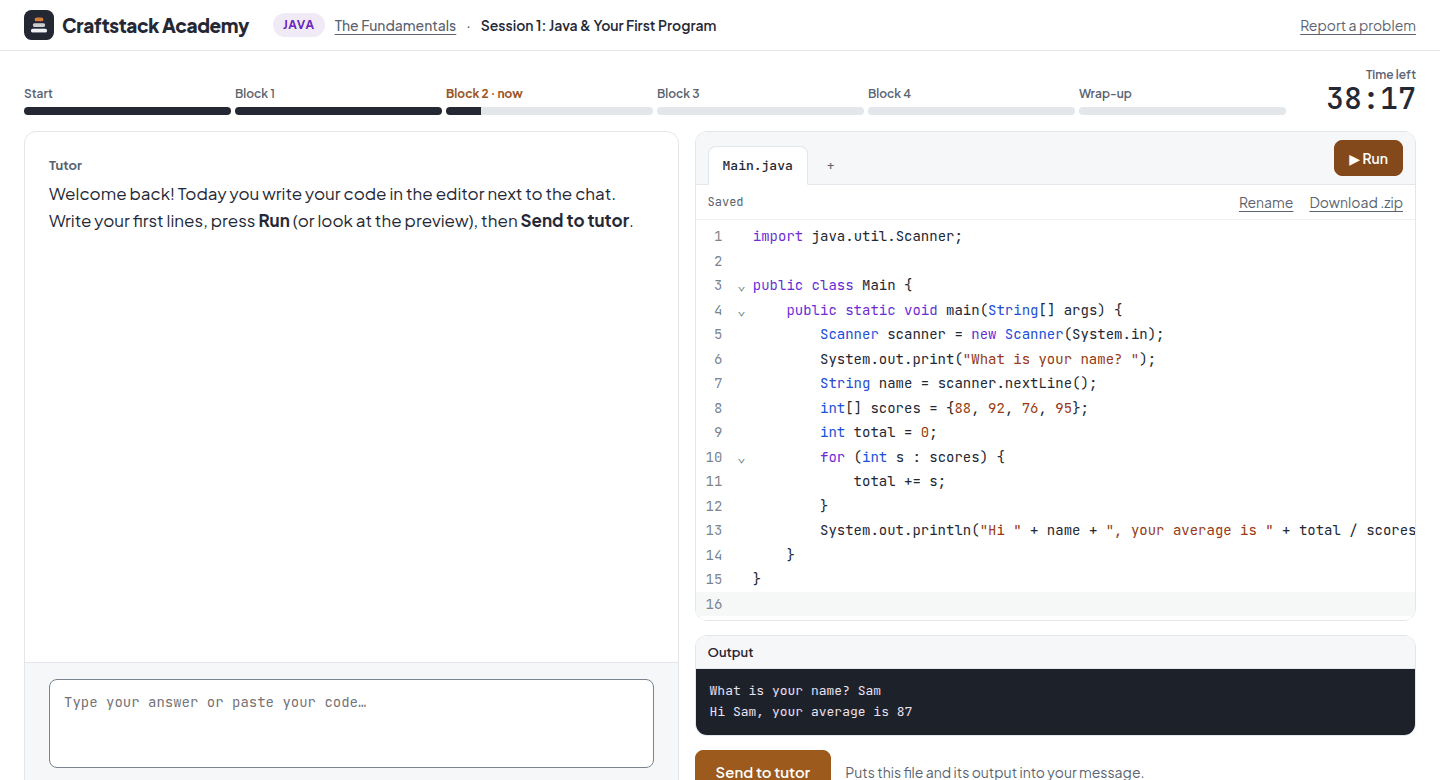
At Craftstack, the tutor is an AI, built from the start to work the way this guide describes. It follows a lesson plan, and you write the code yourself in the editor next to the chat. It reads your real code and its real output, so it sees exactly what you see. And when you're stuck, it uses a ladder of help:
- First, a question that points you in the right direction.
- Then, a concrete hint.
- The full solution only after two real attempts, followed by a small variation to do on your own, so you still practise.
It's the same idea as the tutor version in the study: help that keeps the hard part on your side. You can try it in a free 20-minute trial in Python, a web page, SQL or Java, right in your browser. If you haven't picked a language yet, start with Which programming language should you learn first?